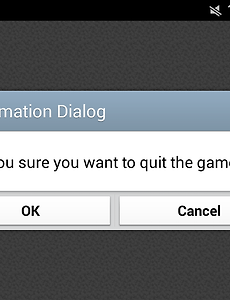
분류 전체보기104 Arabic Message System - RPG Maker MV IntroductionSupports languages that must be read from the right to the left in RMMV Message System. For example, it is something like Arabic. The text in a Arabic needs to be structured in a very particular way so that the default message system of RMMV can understand. That is because it might not compatible with other plugins about the message system and I think that this one is probably the mo.. 2017. 12. 12. Tilemap Noise Filter - RPG Maker MV IntroductionThis plugin applies the noise filter to the Tilemap. (Note that this plugin can use only in WebGL Mode) I've not added a video due to automatically remove the noise in YouTube. InstallationFirst Up, Download the plugin file and then put it in your project's js/plugins folder. After that open the Plugin Managers and then set up this plugin. Script CallsThis plugin provides scripts cal.. 2017. 10. 15. Canvas Filter - RPG Maker MV IntroductionThis plugin applies the CSS filter to your game canvas. CSS Filter is a built-in function within the browser. and this function is possible to modify images very quickly. For example, In case of a blur filter is used for indicating an error text. UsageDownload the plugin and place it in the folder called your_project_directory/js/plugins. Then In Plugin Manager, Select the RS_SimpleC.. 2017. 10. 6. Change Save Folder - RPG Maker MV IntroductionThis plugin allows you to save all save files for your game to another folder instead of the default save folder. Change Log 2016.01.30 (v1.0.0) - First Release2017.09.29 (v1.0.1) :-Fixed the issue that didn't create the save file when running the game with the independent executable file. Download LinkGithub Raw Dropbox (Direct Download) 2017. 9. 29. Android Back Button - RPG Maker MV Introduction When you press the back button when playing the game on Android, the game application ends completely, But it would be better if this displayed the information dialog about exiting the game. So we need to disable the default behavior of the back button on Android. Screenshots InstallationYou will need to have installed the 'cordova-plugin-dialogs' plugin in Cordova CLI. In case of u.. 2017. 9. 16. YouTube Player - RPG Maker MV IntroductionThis plugin allows you to start playback of the YouTube video. In general, In Android Chrome and Mobile Safari, It doesn't automatically start playback. and you can also stop the video by clicking around the YouTube video. If you watches the video until the end, This plugin will automatically end the video playback. Plugin Commands This plugin command will start playback of the YouTu.. 2017. 8. 31. Animated Title Image - RPG Maker MV IntroductionThis plugin changes a title screen image at specific time intervals. (Release Date : 2015.11.09) Change Log 2015.11.09 (v1.0.0) - First Release.2016.07.16 (v1.0.1) - Added the plugin parameter that could be decided whether it will be preloading title images.2016.10.30 (v1.0.2) : - Fixed the name of the incorrect file. - Fixed the bug that occurs when the main program lost focus.2017... 2017. 6. 10. Keyboard Event - RPG Maker MV Introduction This plugin can process a keyboard event without pressing a real button within a keyboard. Plugin Commands - 'keyCode' must be number type like as 0x58 or 80 - 'keyName' should be the value for a strings that could not found in Input.keyMapper - These commands allow user to send a virtual key code in main logic of Input class. KeyEvent executeString keyName KeyEvent executeKey keyCo.. 2017. 3. 4. Footstep Sound - RPG Maker MV IntroductionWhen you are walking around, this plugin automatically plays the footstep sound. How to UseBefore you start downloading this plugin, should know that this plugin will require some sound effects. That file type of sound effects is the .wav file. But, Wav types does not supported by RPG Maker MV. However, You can solve it by adding a wav plugin. wav plugin can download via this link. ▲.. 2017. 2. 26. Item Stream - RPG Maker MV IntroductionThis plugin sends an item to the save-file or gets an item from the save-file. How to Use This plugin commands allows you to send the gold to the save-data. Stream Send Gold saveFileId gold_value This plugin commands allows you to send the weapon to the save-data. Stream Send Weapon saveFileId weapon_id This plugin commands allows you to send an armor to the save-data. Stream Send Ar.. 2017. 1. 23. 이전 1 ··· 6 7 8 9 10 11 다음